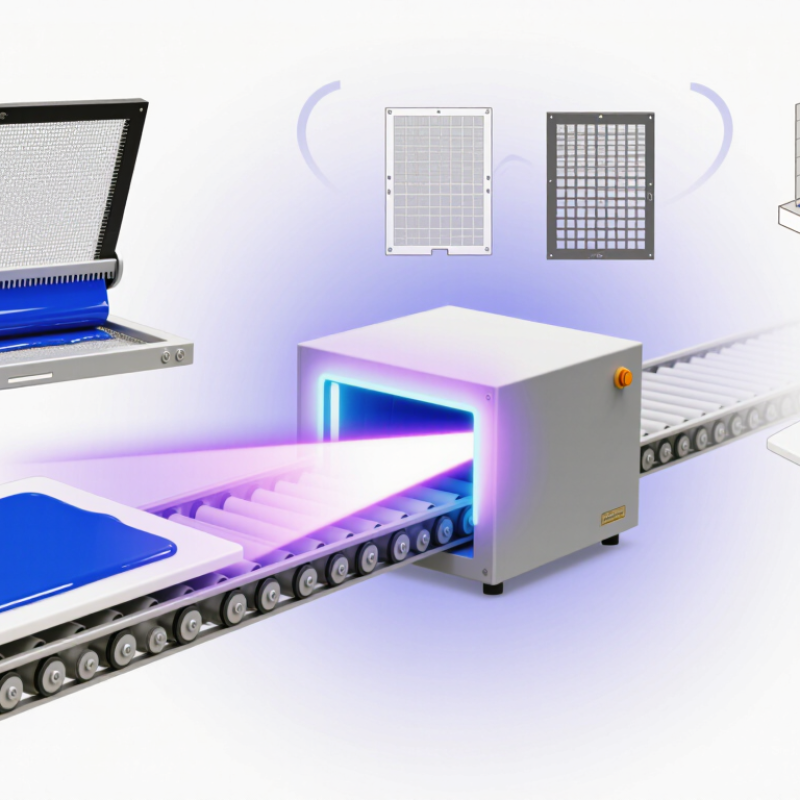
Screen Printing Uv Ink is designed to harden when exposed to ultraviolet light. Unlike many conventional inks, it does not rely mainly on air drying. Instead, UV energy triggers a reaction in the ink, turning the wet layer into a solid film. The process can produce crisp details and a dry surface soon after curing. That matters. A printed label, panel, or promotional item may move quickly to the next production step.
In screen printing, ink passes through a mesh stencil onto a chosen surface. The printed layer then travels beneath a UV lamp or curing unit. Results depend on more than the lamp alone: ink formulation, layer thickness, exposure settings, mesh choice, and substrate all influence adhesion and cure quality. A narrow line on a coated plastic sheet may behave differently from a broad layer on glass or metal. Testing a sample is sensible. Even experienced printers can find that a familiar setup performs differently with a new material.
This article explains what Screen Printing Uv Ink contains, how UV curing works, and where the method is commonly used. It also considers practical trade-offs, including equipment needs and compatibility checks. Fast curing can be useful, but it does not guarantee a durable print by itself. The surface must suit the ink, and the curing process needs careful verification. That part is easy to underestimate. Follow the ink and equipment manufacturers’ guidance, and assess printed samples before scaling up production.
Screen-printing UV ink cures through photochemistry, not evaporation. Its main ingredients are reactive oligomer resins, smaller reactive diluents, pigments, and photoinitiators. The photoinitiator absorbs UV energy and forms reactive species. These trigger polymerization, linking liquid components into a solid film. RadTech’s UV-LED curing guidance identifies 365, 385, and 395 nm as common industrial emission peaks. These sit within the 200–400 nm range used for many UV-curing applications. Photon energy also changes across that span: about 6.2 eV at 200 nm and 3.1 eV at 400 nm. That difference matters.
In practice, the lamp’s wavelength must overlap the ink’s photoinitiator response. Otherwise, the surface may feel dry while the layer underneath remains undercured. Pigment opacity, ink thickness, and conveyor speed can all affect the result. A glossy print is not proof of complete cure. This is easy to overlook.
Tips: Check the ink’s technical data sheet for its recommended wavelength and dose. Run a cure test on the actual substrate, then check adhesion and rub resistance. Keep a record of lamp distance and line speed; small changes can matter.
In screen printing, UV ink reaches the surface when a squeegee drives it through open mesh areas in the stencil. The mesh does more than hold the image. Its thread diameter, opening size, and tension affect how much ink passes through. A finer mesh often lays down a thinner film, while a coarser mesh can deposit more ink. Results also depend on the stencil’s thickness and the ink’s flow.
The squeegee controls that transfer in real time. Its hardness, edge condition, angle, speed, and pressure all influence the wet film. Too little pressure may leave gaps; too much can force excess ink through or distort the image. Keep the blade steady and test a small area on the actual substrate. Then inspect coverage, edges, and film consistency before adjusting one setting at a time. Small changes matter. UV ink should cure under suitable UV exposure after printing, so a heavy or uneven film may not cure as expected. Mesh tension can vary across a screen, too, which is easy to overlook. A measured test print is more reliable than assuming one setup will behave the same on every job.
Screen-printing UV ink cures when ultraviolet light activates photoinitiators in the ink. These compounds generate reactive species that link the ink’s components into a solid film. For LED systems, common emission peaks are 365, 385, and 395 nm, according to RadTech’s UV LED curing technical guidance. Each wavelength delivers energy differently, so the peak alone does not guarantee a cure.
All three peaks sit within the UV-A band. CIE S 007/E:1998 defines UV-A as 315–400 nm. In practice, the photoinitiator must absorb the lamp’s output; otherwise, curing may remain incomplete beneath the surface. Pigments matter too. A dense black layer can absorb or scatter light, leaving the ink tacky where the light cannot reach.
Check the ink’s absorption range, then match it to the LED’s measured output. A radiometer can help verify irradiance at the screen, while exposure time and distance affect delivered dose. Small detail, big effect. A useful test is to print a sample, cure it, and check adhesion and surface tack. One caveat: a hard surface does not prove full curing through the film, so testing the actual print stack is wiser than trusting appearance alone.
| Topic | Typical Information | How It Affects Screen Printing |
|---|---|---|
| What UV ink is | Screen-printing UV ink is a formulated ink that cures when exposed to suitable ultraviolet radiation. Many formulations contain reactive oligomers and monomers, pigments, additives, and photoinitiators. | The ink is designed to remain workable on the screen and then form a solid film after exposure to the appropriate curing energy. |
| Photoinitiator function | A photoinitiator absorbs light at wavelengths it can respond to and produces reactive species that start polymerization or crosslinking. | The photoinitiator package must be compatible with the lamp spectrum, ink chemistry, pigment, and printed film thickness. |
| UV-A wavelength range | UV-A is commonly defined as approximately 315–400 nm. UV LED curing systems for printing often use peak wavelengths around 365, 385, or 395 nm. | A lamp’s peak wavelength alone does not establish that an ink will cure; spectral output and the ink’s photoinitiator response also matter. |
| 365 nm LED peak | A commonly used UV-A LED peak. Its shorter wavelength than 385 or 395 nm may suit photoinitiators with stronger absorption at that part of the spectrum. | Confirm the ink’s recommended wavelength and verify cure performance on the actual substrate and press setup. |
| 385 nm LED peak | A common UV-A LED peak used in curing applications. Its suitability depends on the ink formulation and the LED system’s delivered irradiance and energy. | It may provide an effective match for formulations designed for this wavelength, but cannot be assumed to work with every UV ink. |
| 395 nm LED peak | A common UV-A LED peak near the long-wavelength end of the UV-A region. | Use only when the ink’s photoinitiator system is responsive to the source and the cure has been validated under production conditions. |
| LED peak versus output | Peak wavelength describes where a source emits most strongly. Irradiance describes power received per unit area, while radiant exposure (dose) describes energy received per unit area over time. | Wavelength, irradiance, exposure time, lamp distance, and line speed all influence curing; a peak-wavelength label alone is not a cure specification. |
| Curing sequence | The printed ink film is exposed to the matching UV source. Absorbed light activates the photoinitiator, which starts reactions that build a polymer network. | When the formulation and exposure are properly matched, the film hardens rapidly after printing. Inadequate exposure can leave the film undercured. |
| Pigment and film thickness | Pigments and thicker ink deposits can absorb or scatter light, reducing the amount that reaches deeper parts of the film. | Opaque colors, heavy deposits, and difficult substrates may require formulation-specific adjustments or validated curing conditions. |
| Substrate and adhesion | Substrate surface energy, cleanliness, flexibility, and heat sensitivity can affect adhesion and print performance. | Test adhesion and film durability on the intended substrate; curing alone does not guarantee good adhesion. |
| Process verification | Cure performance should be evaluated using suitable checks for the application, such as rub, adhesion, or other specified performance tests. | Establish acceptable results on the actual press, ink deposit, substrate, and production speed rather than relying only on lamp settings. |
| Handling and safety | Uncured UV ink may irritate skin or eyes, and UV radiation can harm eyes and skin. Follow the ink and equipment safety instructions. | Use appropriate personal protective equipment, shielding, and ventilation as specified for the materials and curing equipment. |
UV screen-printing ink cures when suitable ultraviolet energy triggers a chemical reaction in its photoinitiators. The useful question is not just how bright the lamp looks. Measure the energy dose reaching the ink, in millijoules per square centimetre (mJ/cm²).
A UV radiometer records dose as its sensor passes beneath the lamp. Take readings at the substrate plane, using the same conveyor speed and lamp settings as production. Check several positions across the print width; a strong centre reading can hide weaker edges. Keep the sensor clean, and use an instrument suited to the lamp’s output. Irradiance, measured in mW/cm², describes power at a moment. Dose, in mJ/cm², accounts for energy received over time.
Small changes matter. A worn reflector, increased lamp distance, or faster conveyor can reduce the dose reaching the ink. Record readings after setup changes, and compare them with a validated cure range for that ink and substrate. A dose reading is not proof of complete cure by itself. Wavelength, peak intensity, ink-film thickness, and surface conditions also affect results. That is easy to miss. If prints remain tacky despite a familiar dose, pause and investigate rather than assuming the meter is wrong.
Illustrative calculated dose at different conveyor speeds, assuming a constant irradiance of 1 W/cm² across a 10 cm exposure zone.
Dose (mJ/cm²) = irradiance (mW/cm²) × exposure time (s). At a fixed exposure-zone length, faster conveyor speed means less exposure time and a lower dose. Use a UV radiometer to measure the delivered dose and confirm the cure window for the specific ink and substrate.
A screen-printed UV ink film can look sharp before it is fully cured or firmly bonded. Check quality on the actual substrate, not just a smooth test sheet. Dust, finger oils, and surface treatments can change adhesion. Small differences matter.
For a practical adhesion check, let the print cool, then use a consistent cross-hatch and tape method suited to the material. Look for lifted squares, chipped edges, or ink transfer. Record the tape type, waiting time, and test location so results can be compared. This test is useful, but it is not a complete measure of long-term durability. A rough or flexible surface can also make results harder to interpret.
Cure needs more than a dry-to-touch check. Confirm the UV exposure against the ink’s specified process, using a suitable radiometer when available, then inspect for tack, smearing, or unexpected brittleness. A surface can feel dry while the film remains under-cured. Measure cured film thickness in μm with a calibrated gauge, taking readings at several points across the print. Compare these with the job specification; uneven readings may point to mesh, squeegee, or deposit variation. Thin films can be difficult to measure on textured substrates, so note that limitation rather than treating one reading as exact.
WhatsApp us